Be yourself; Everyone else is already taken.
— Oscar Wilde.
This is the first post on my new blog. I’m just getting this new blog going, so stay tuned for more. Subscribe below to get notified when I post new updates.
Asifbd360
Be yourself; Everyone else is already taken.
— Oscar Wilde.
This is the first post on my new blog. I’m just getting this new blog going, so stay tuned for more. Subscribe below to get notified when I post new updates.
সকল ভিজিটর – কে স্বাগতম।
মহান সৃষ্টিকর্তা দয়াই আশা করি সকলেই অনেক ভালো আছেন ইনশাল্লাহ আপনাদের দোয়াই আমিও ভালো আছি, আজকে অনেকদিন পর আবারও ট্রিকবিডি – তে ফিরে আসলাম দারুন একটা ট্রিক নিয়ে।
ফেসবুকে এখন সব থেকে বড় সমস্যা হচ্ছে ফেসলক নতুন এবং পুরাতন যতো একাউন্ট আছে হঠাৎ করেই ফেসলক হয়ে যাচ্ছে এবং আপনারা ক্লিয়ার নিজের ছবি তুলে আপলোড করলেও একাউন্ট টা ব্যাক আসছে না তখনি অনেক খারাপ লাগার কথা যাই হোক আজকে আমি দেখাবো ফেসলক ডিজেবল হওয়ার একাউন্ট কীভাবে ব্যাক করবেন, চলুন শুরু করা যাক।
প্রথমত একটা Browser Select করুন এবং ওই Browser টা ক্লিয়ার ডাটা মারুন, আমি Suggest করবো PlayStore থেকে যেকোনো একটা Browser নতুন ডাউনলোড করে নিলে সব থেকে বেশী ভালো হবে।
আমি আমার Browser – টা ওপেন করছি, আপনারাও করুন এবং নিচের লিংক এ ক্লিক করুন
https://web.facebook.com/help/contact/logout?id=167692083333796
লিংক।
এমন পেইজ পাবেন।
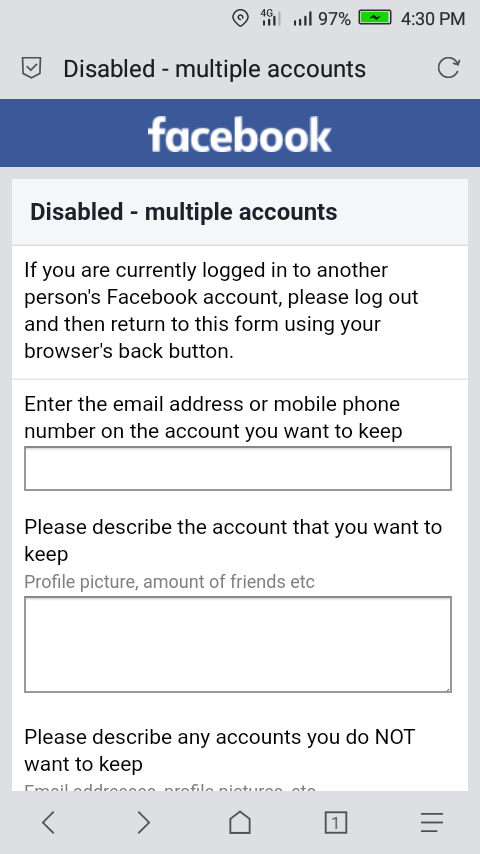
Enter the email address or mobile phone number on the account you want to keep
এই জায়গাই আপনার ডিজেবল একাউন্ট এর ইমেল ঠিকানা অথবা মোবাইল নম্বর দিন সেটা দিয়ে ফেসবুক একাউন্ট টা Create করেছিলেন।
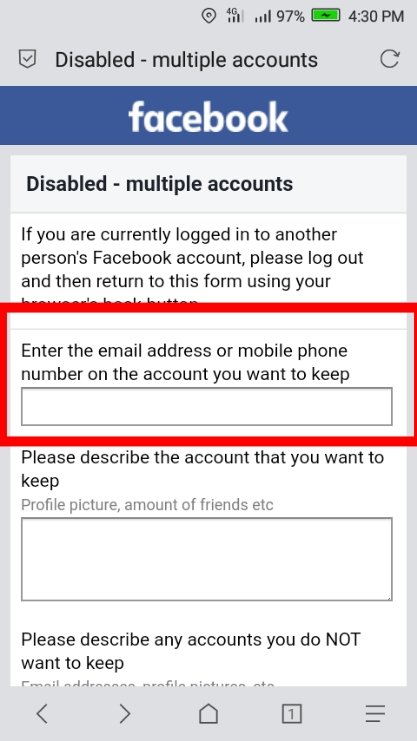
Please describe the account that you want to keep
এই জায়গাই আপনি বিস্তারিত জানান আপনার একাউন্ট ফেসলক আাসার কারণ বা আপনার Profile Picture এ কোনো মডেল এর ছবি বা অন্য কিছুর থাকলে বুঝিয়ে বলুন। আমি আপনাদের বুঝার জন্য একটা Application দিচ্ছি।
Dear Facebook Team,
My name is (আপনার একাউন্ট এর সম্পন্ন নাম) and my birthdate is (আপনার একাউন্ট এ যে জন্মতারিখ দেওয়া). used Sharukh Khan's picture in my profile picture because I love him so much that he is an Indian actress I did not use her picture to harm her because I liked her acting, please forgive me. I will never do this again and this is my real account, Please reactivated my account.
Thank You.
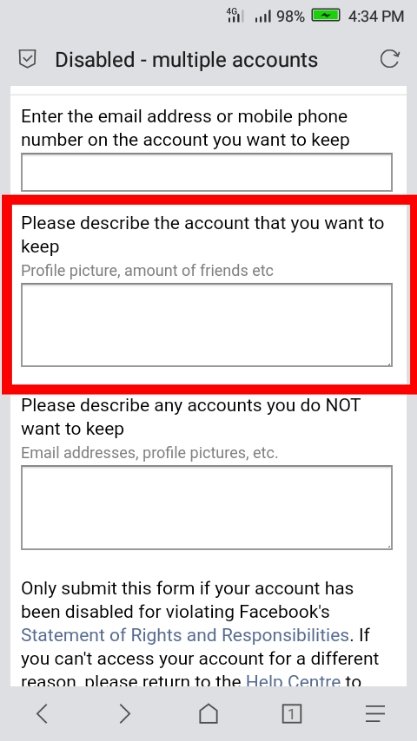
Please describe any accounts you do NOT want to keep
এই জায়গাই আপনার একাউন্ট এ ইমেল এড না থাকলে একটা Email Address দিয়ে দিন, এই Address এ আপনাকে ফেসবুক থেকে Contact করবে। আর Already যদি আপনার একাউন্ট এ Email Add থাকে তাহলে নিচের Application টা ব্যবহার করতে পারেন।
Dear Facebook Team,
I have already added an Email Account to my account, I can receive any emails if I need a support inbox link, but I can receive a receipt, Please reactivate my account, my National ID card and other documents are there. If you read, please tell me I can submit.
Thank You
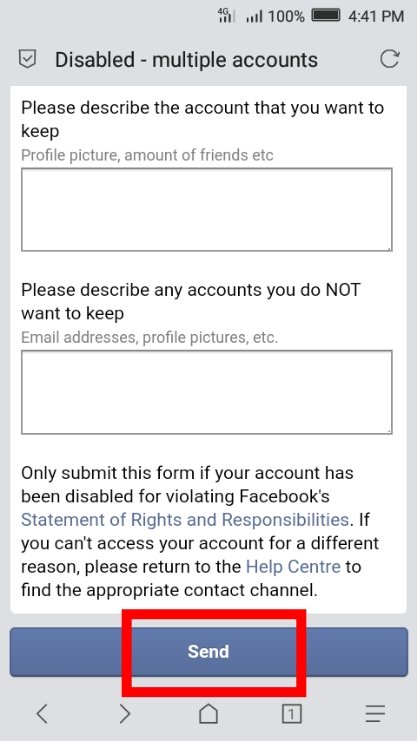
এখন Send এ ক্লিক এ করুন।
This is an example post, originally published as part of Blogging University. Enroll in one of our ten programs, and start your blog right.
You’re going to publish a post today. Don’t worry about how your blog looks. Don’t worry if you haven’t given it a name yet, or you’re feeling overwhelmed. Just click the “New Post” button, and tell us why you’re here.
Why do this?
The post can be short or long, a personal intro to your life or a bloggy mission statement, a manifesto for the future or a simple outline of your the types of things you hope to publish.
To help you get started, here are a few questions:
You’re not locked into any of this; one of the wonderful things about blogs is how they constantly evolve as we learn, grow, and interact with one another — but it’s good to know where and why you started, and articulating your goals may just give you a few other post ideas.
Can’t think how to get started? Just write the first thing that pops into your head. Anne Lamott, author of a book on writing we love, says that you need to give yourself permission to write a “crappy first draft”. Anne makes a great point — just start writing, and worry about editing it later.
When you’re ready to publish, give your post three to five tags that describe your blog’s focus — writing, photography, fiction, parenting, food, cars, movies, sports, whatever. These tags will help others who care about your topics find you in the Reader. Make sure one of the tags is “zerotohero,” so other new bloggers can find you, too.
Have a WordPress.com account? Log in now.

